Variables & click actions
A page variable holds runtime state on a page. An interaction changes that state on an event. Together they build toggles, tabs, and counters without code.
Page variables
You can put variables on a page and bind them to any style property. From a property's menu choose Create Variable — here opacity is bound to a variable, so anywhere that variable is used reads its current value.
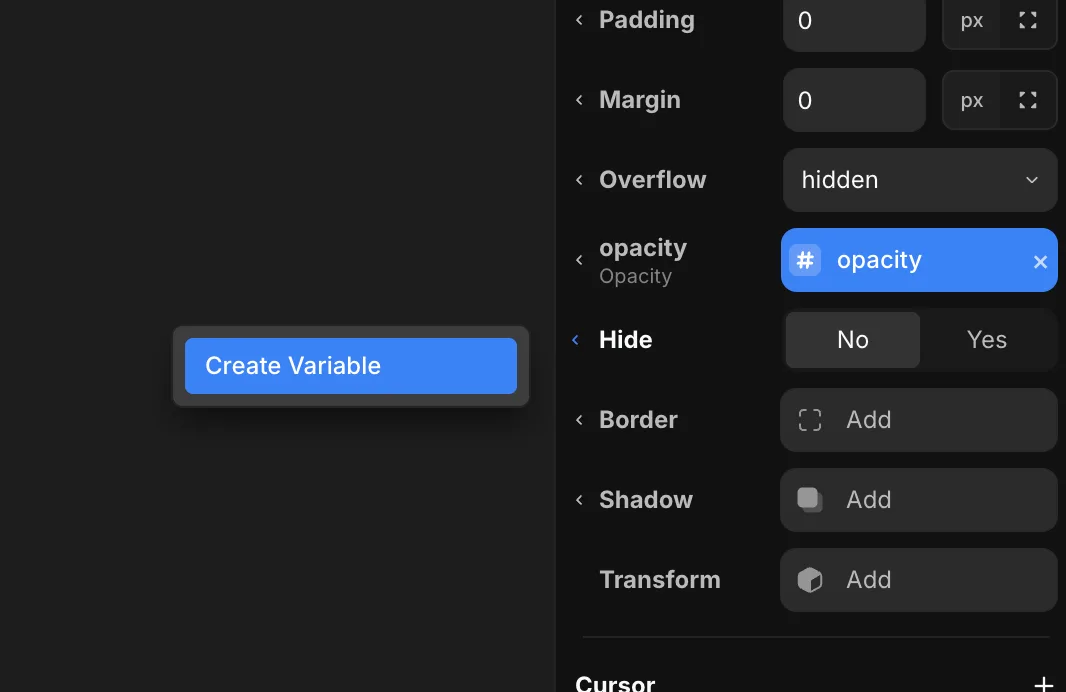
A variable can be a number, text, boolean, color, or image. Bind it into any style and the UI reacts whenever the value changes.
Interactions
On the Interactions panel you can add an interaction that changes a variable on an event. Pick what triggers it under On — Click, Mouse Enter, or Mouse Leave — choose the Variable, and set the Value it should change to. When that event fires, the variable updates and every style bound to it follows.
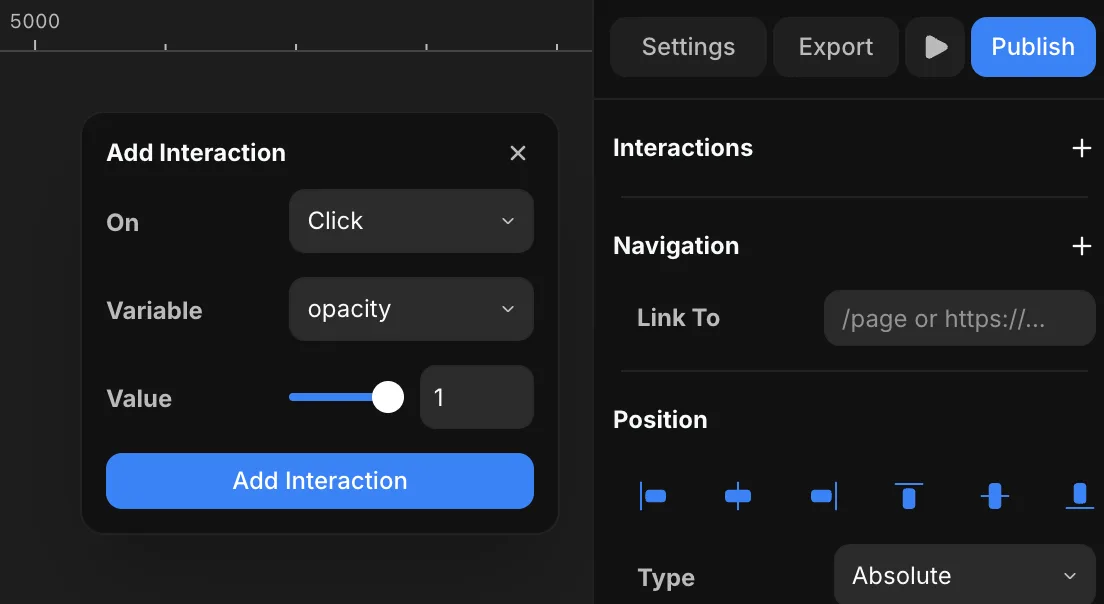
This is the same mechanism as variables inside design components — the difference is the scope: these live on the page rather than on a single component.
Build a toggle
- Bind a style to a variable with Create Variable — for example opacity or a color.
- Add an interaction on the trigger that sets that variable to a new value On Click.
- The bound style updates the moment the variable changes.