Per-viewport overrides
An override is a style that applies to one viewport only. Edit a property on tablet or mobile and it changes there while desktop stays as it was.
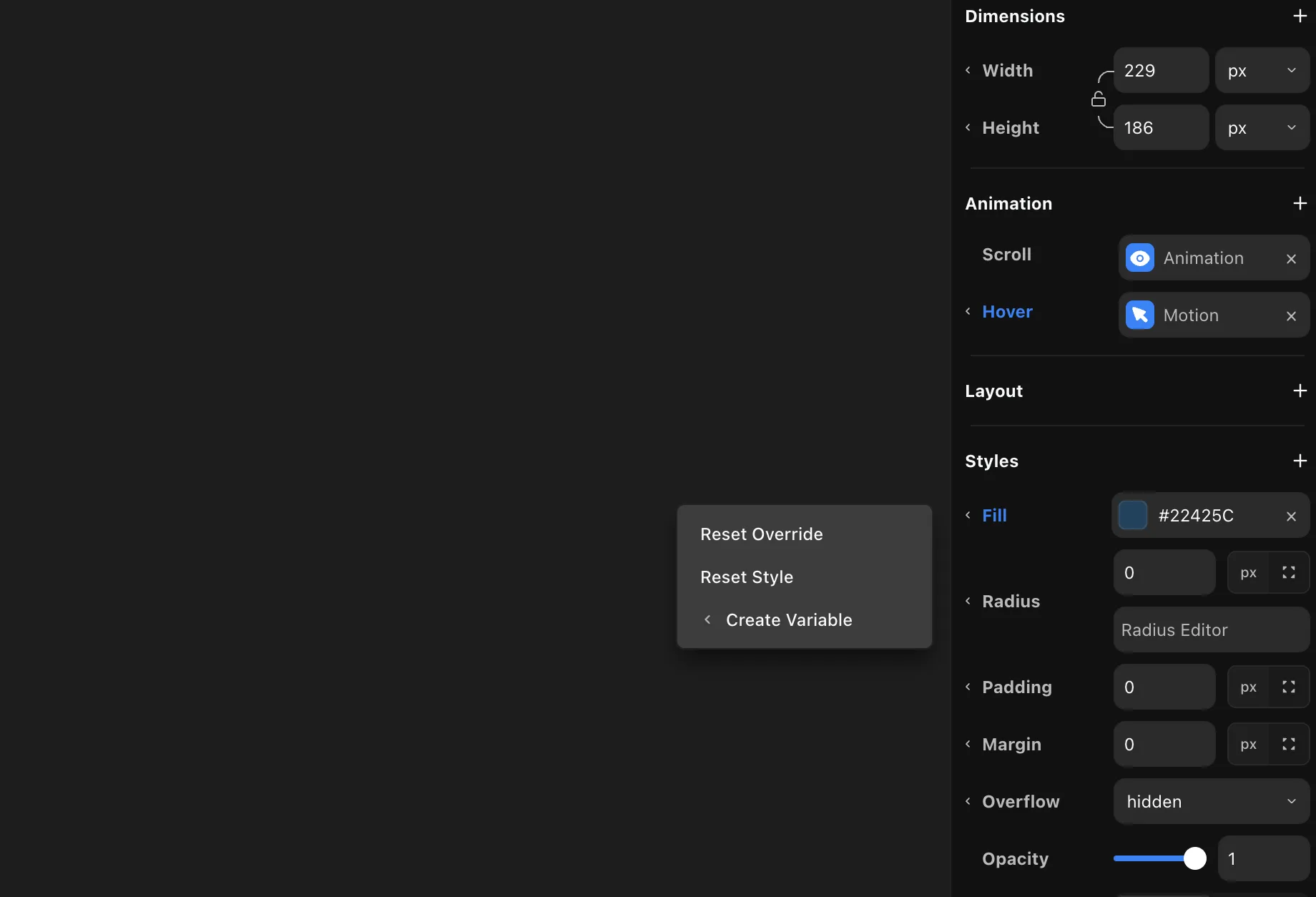
Create an override
- Click into the tablet or mobile viewport.
- Edit any style — size, position, typography, layout, or visibility.
- That property is now a per-viewport override. Desktop keeps its base value.
Spotting an override
When a property is overridden on the current viewport, its label changes color. On a page the label turns blue; inside a design component the label turns purple. So you can tell at a glance which properties are overridden here versus inherited from the primary.
Reset an override
Right-click the property and choose Reset Override. The property drops its per-viewport value and falls back to the base.
Inheritance
Every viewport inherits from the primary (Desktop).
- A replica shows the primary's styles until you override a property on it.
- An override applies to that viewport only. The other viewports keep inheriting from the primary.
- Reset the override and the property falls back to the primary again.