Export & self-host
Export downloads your site as production-ready Next.js source, so you own the code and can host it anywhere.
Export the project
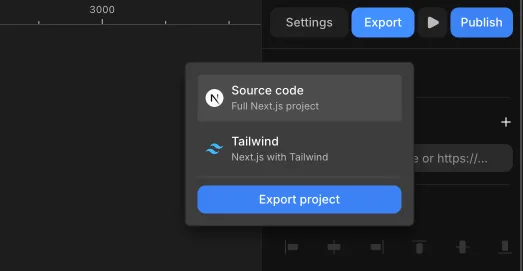
Press Export in the top bar, choose a format, then hit Export project:
- Source code - a full Next.js project.
- Tailwind - the same project, styled with Tailwind.
You get real .tsx files: app/ routes, a components/ folder, your CMS content as JSON, and design tokens as CSS variables. Run it anywhere Node runs - your own server or any host. No lock-in.
View the code as you build
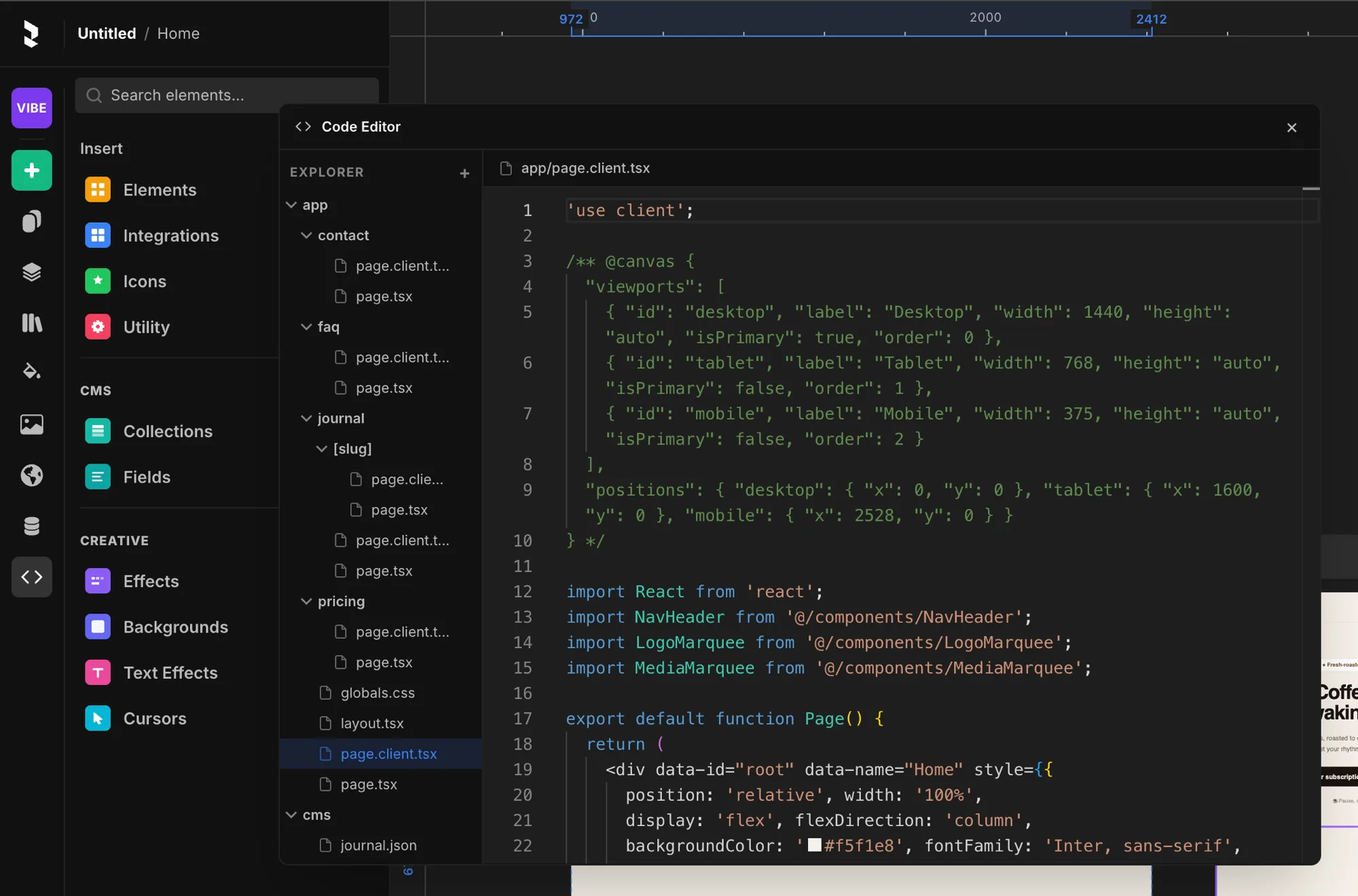
You don't have to export to see your code. Open the Code Editor from the left menu (the </> icon) to read the generated Next.js source live as you design - every page, component, and CMS file.
Templates: open vs closed source
Templates you create yourself are always yours - fully open, and exportable any time, in full.
Templates you remix or buy from another creator are different: the creator chooses whether to share their source as open or keep it closed. A closed-source template can't be exported - only its creator's own source is protected. This keeps creators in control of what they share, while guaranteeing your own work always stays exportable.
Export a single element
You can also export one element on the canvas as PNG, JPG, or SVG from its export controls in the right panel.