SEO & metadata
Metadata is what search engines and link previews read — the title, description, and social image shown in Google results and when your link is shared. You can set it per page or site-wide.
Per-page SEO
Open Settings → Pages and pick a page to set its SEO.
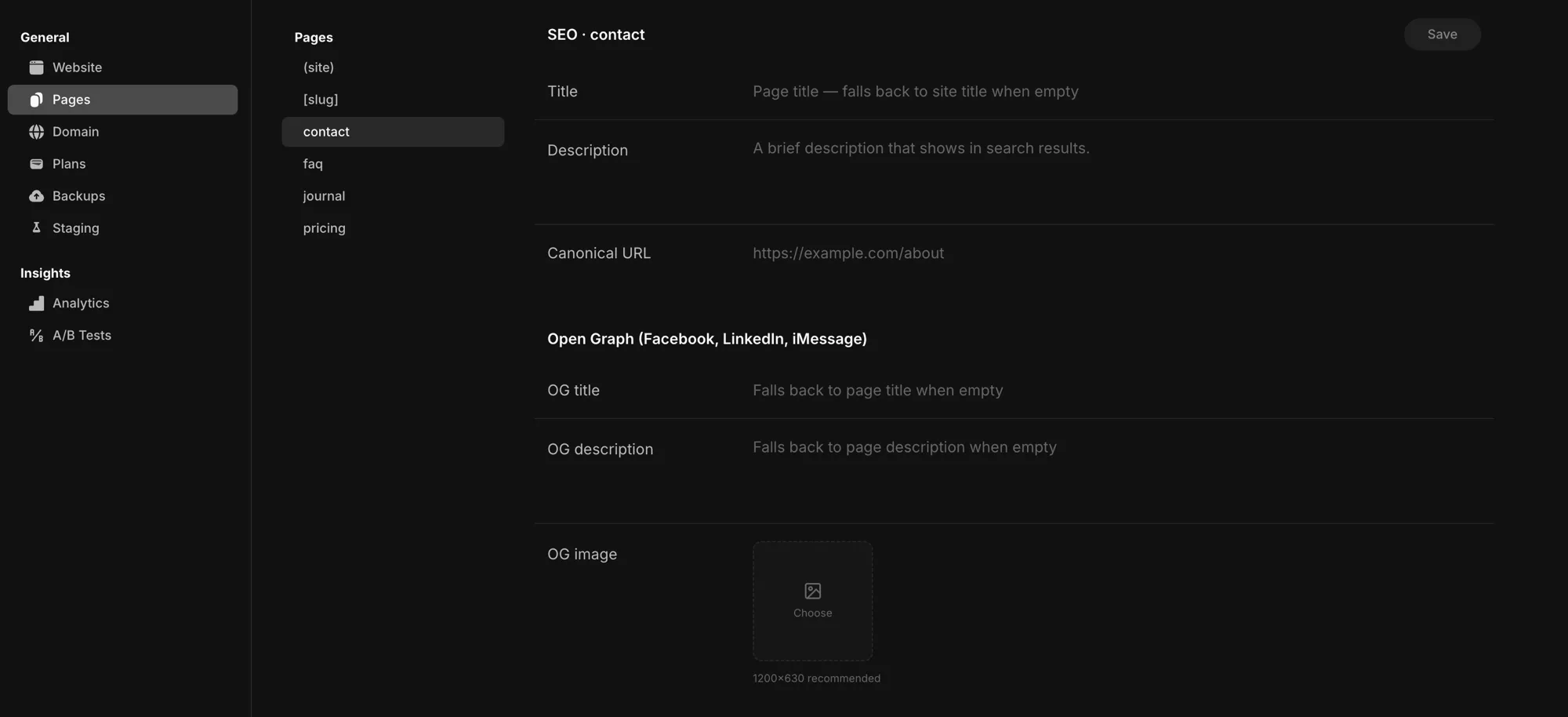
- Title — the page's title in browser tabs and search results. Leave it empty and it falls back to your site title.
- Description — the brief summary that shows under the title in search results.
- Canonical URL — the preferred address when a page can be reached at more than one URL.
- Open Graph (Facebook, LinkedIn, iMessage) — the link-preview card when the page is shared:
- OG title / OG description — fall back to the page title and description when empty.
- OG image — the preview image; 1200×630 is recommended.
- Twitter / X — a title and description for X's card preview (these fall back to your Open Graph values, then the page values).
Hit Save to apply.
Site-wide defaults
Open Settings → Website to set your site name (the default title), a default description, and your favicon. These apply across the whole site.
How they combine
Your site-wide values apply to every page by default. Anything you set on a specific page overrides the site default — just for that page. Leave a page field empty and it falls back to the site value.
So the simple workflow: set good defaults once under Website, then override the SEO only on the pages that need something different.
Crawlability
Pages are server-rendered, so their content is delivered as HTML. Search engines crawl it without having to run your scripts.