
Variables
Variables allow you to make each instance of your component unique throughout your website.
They are values you attach to style properties of elements inside your components. Once attached, you can modify these values independently on each instance of that component variant you place on your pages.
For example, on this text element inside a component, I attached a variable to the text content and the text color.
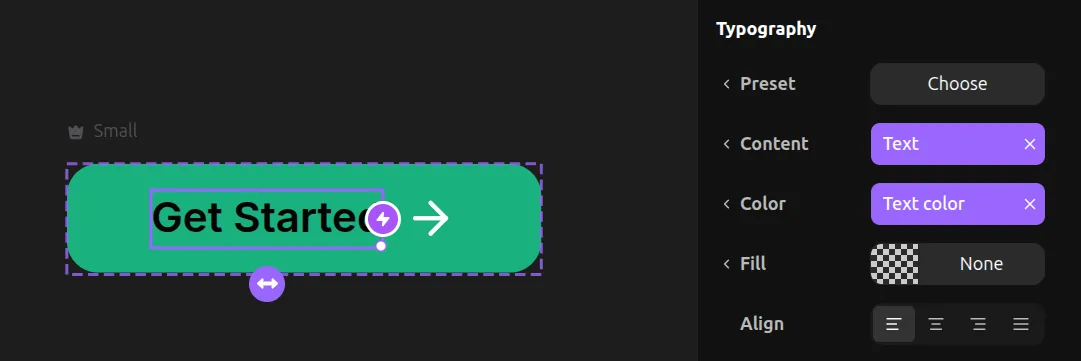
Then, when you have an instance of that variant on your page, you can go to the Component Tool in the right toolbar to dynamically set the text content for that specific instance. This allows you to have the same button component on different pages but with different text each time.
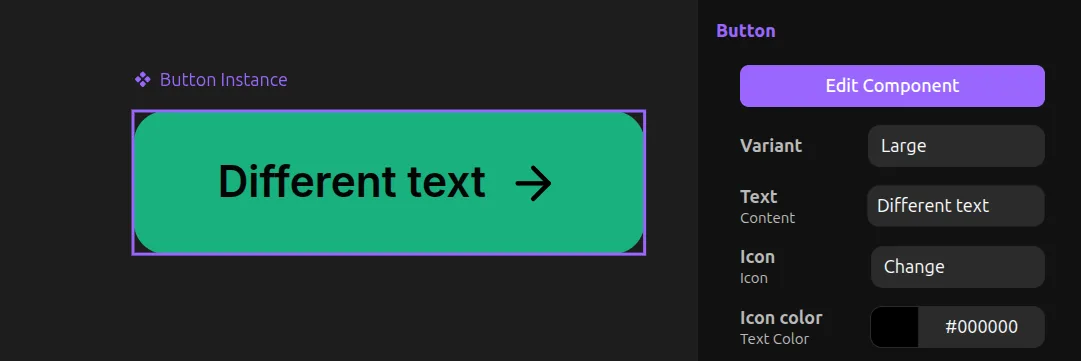
This is useful for keeping styles centralized. For example, if you change the background color of the button component, it will update all instances while preserving their individual text values.
Creating Variables
You can create variables for nearly every style property in the properties toolbar.
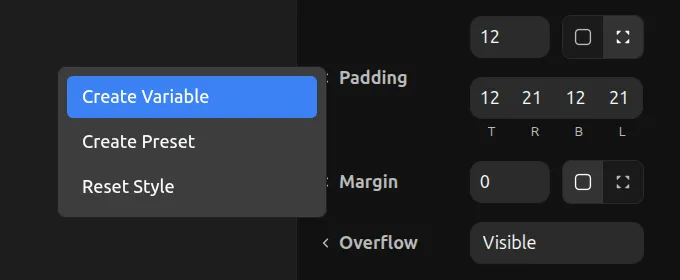
To check if a style supports variables, click on the label with the left chevron and select Create variable.
Hoisted Variables
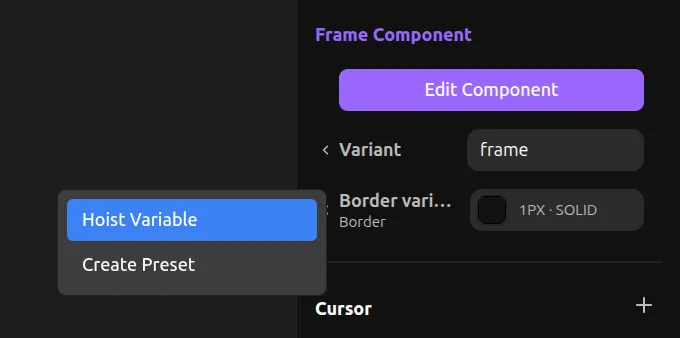
Hoisted variables let you expose variables from deeply nested components to higher levels.
For example, if you have a nested component inside a parent component, and the nested component has a background color variable, you can hoist that variable up. When you select the nested component instance inside the parent component, you can click the hoist button to expose its variable one level higher.
Now when you select a page instance of the parent component, the nested component's variable will be available to edit directly from the parent.
Variables can be hoisted infinitely, no matter how deeply the components are nested.
Hoisting Variant Selection
You can also hoist the variant selection of a nested component. This lets you dynamically switch which variant of the nested component appears, directly from a parent component instance.
To hoist a variant, click on the Variant label of a nested component in the Component Tool.