
Animations
You can add animations to nearly every type of element in your design. Animations bring your website to life with motion effects that respond to user interactions or page events.
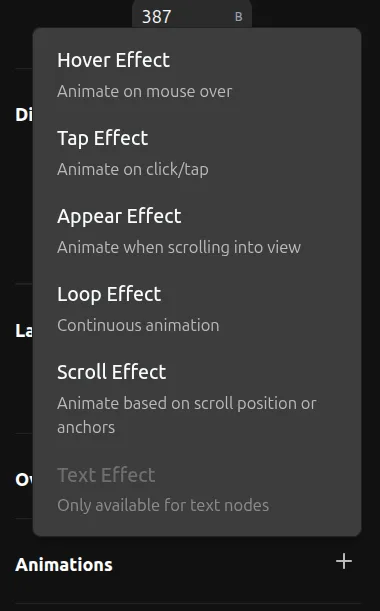
Adding Animations
- Select an element on the canvas
- Open the Animations section in the right toolbar
- Click the + button to add an animation
- Choose the animation type you want
- Click on the animation to open its settings popup
- Adjust the controls to customize the effect
Animation Types
Revyme supports six types of animations:
- Appear — Animate elements when they scroll into view
- Hover — Animate elements when the mouse hovers over them
- Tap — Animate elements when clicked or tapped
- Loop — Create continuous, repeating animations
- Scroll — Animate elements based on scroll position
- Text Effect — Animate text character by character or word by word
- Transition — Control timing and easing for all animations