
Your first project
Let's create your first website in Revyme. This guide walks you through the dashboard, starting a new project, and building your first page.
The Dashboard
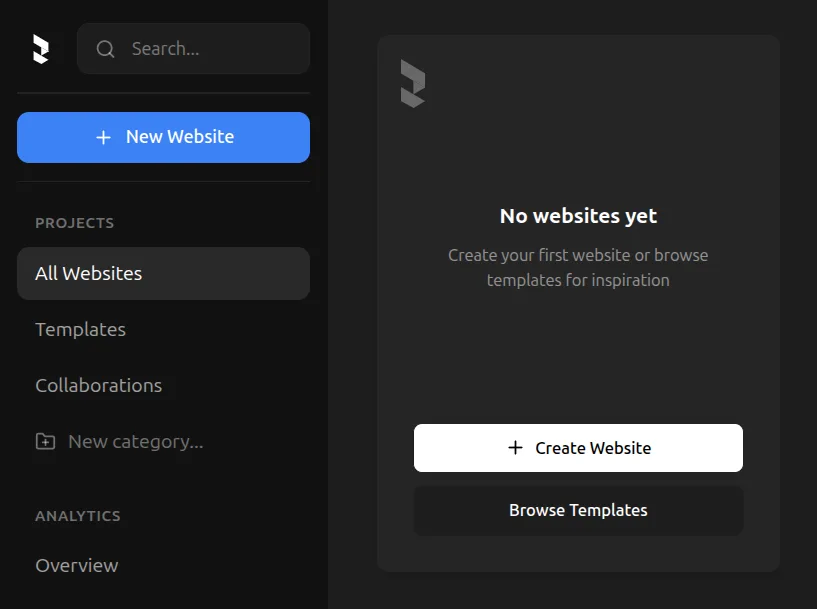
When you log into Revyme, you'll see the dashboard—your home base for all your websites.
On your dashboard, when you have no projects, you can find a button to create your first website.
Dashboard sections
- My Websites — All your projects in one place
- Templates — Browse and remix professional templates
- Collaborations — Projects shared with you by other users
- Analytics — Traffic and performance data for published sites
Create a New Project
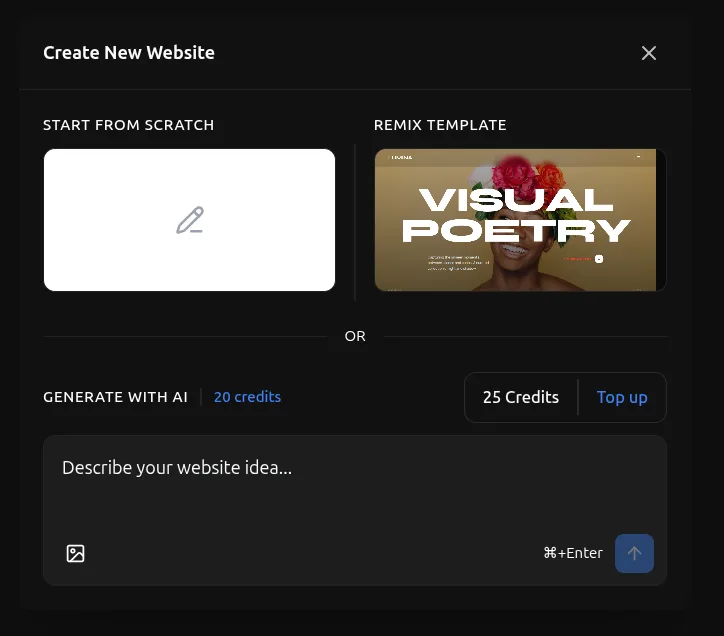
You have multiple ways of starting a project:
1. Start from scratch
Click the blank canvas option to create a website from scratch. This gives you a completely empty canvas to build from the ground up.
2. Remix a template
Browse and select from professional templates. Click Browse Templates to explore categories like Landing Pages, Portfolios, Business, and Marketing. Remixing a template creates a full copy that you can customize—all elements, styles, and animations are yours to modify.
3. Kickstart with AI
Enter a prompt in the text area to generate a complete website using AI. Describe your vision, and Revyme will create a fully-designed website for you to customize. Learn more about AI generation here.