
Domains
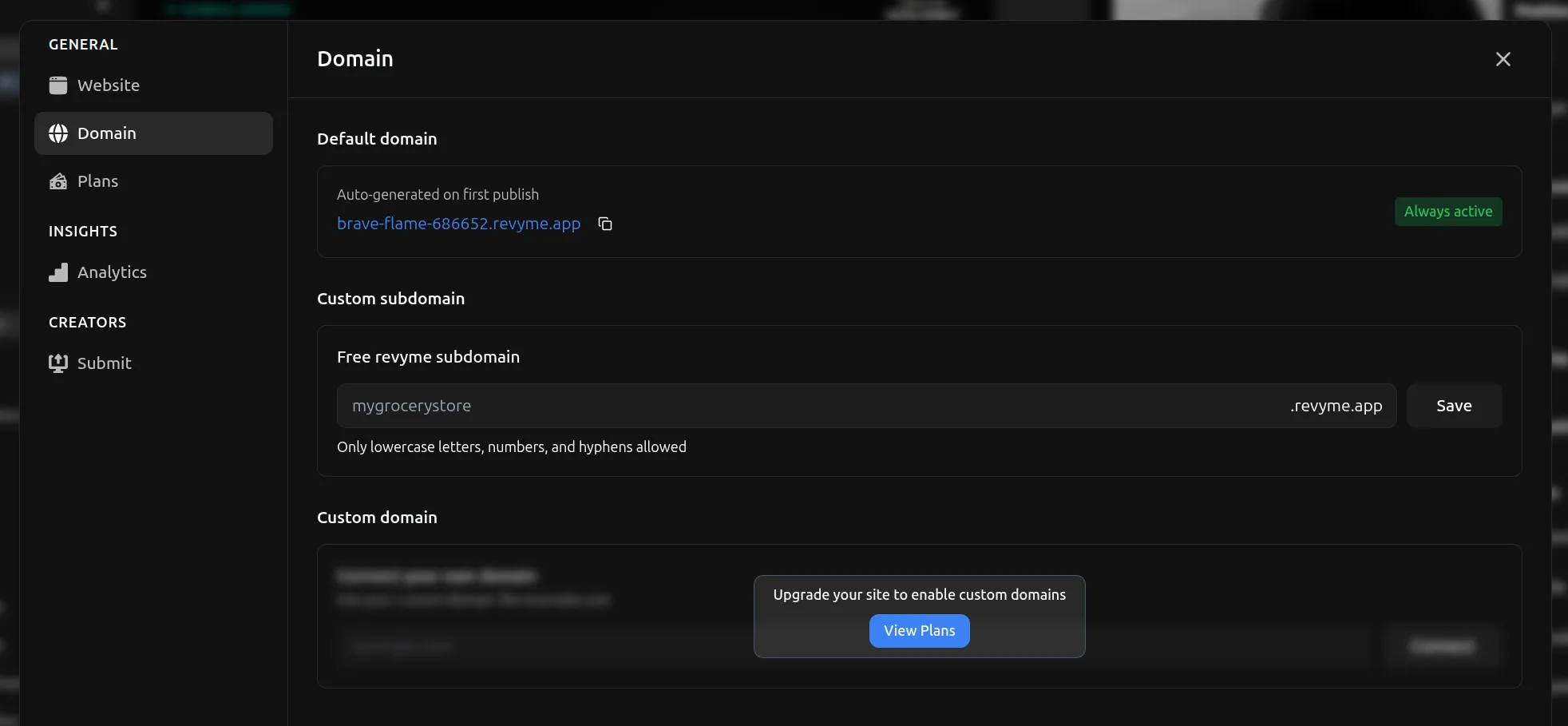
When you first publish a website, you will get an automatically generated domain.
You can override this domain by setting your own free Revyme subdomain in the Settings of the website under the Domain tab.
Custom Domains
You can connect your own domains through the Domains tab. You need to upgrade to a paid plan subscription to be able to attach custom domains.
How to Connect a Custom Domain
- Go to Settings → Domain tab
- Enter your custom domain (e.g.,
yourdomain.com) - Click Add Domain
DNS Configuration
After adding your domain, you need to configure your DNS settings at your domain registrar:
- Open your domain registrar's DNS settings
- Add a CNAME record with these values:
Type: CNAME
Host: @ or www
Value: sites.revyme.app
TTL: Automatic (or 3600)
- Save the DNS record
- DNS propagation can take up to a few hours (usually much faster)
- SSL certificate will be automatically provisioned once DNS is connected
The settings panel will show when your domain is successfully connected with a green checkmark.