
Manage translations
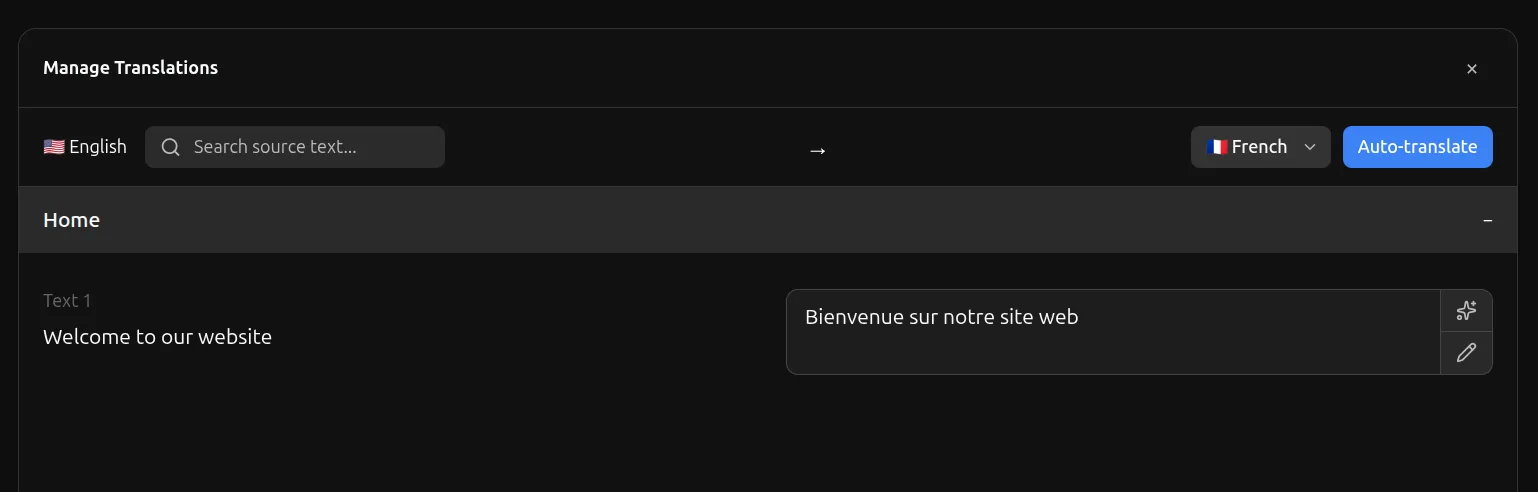
From the Localization panel, click the Manage Translations button to open a popup where you can handle all translations.
It will automatically detect all texts on your website and allow you to write translations for each text.
Auto Translate
- Use the spark icon next to any text to auto-translate that specific text
- Use the Auto Translate button to translate all of your texts at once